A yes that turns into an invoice.
The customer agrees to the quote, and now you're retyping the same line items into an invoice. Send the quote as a link instead. When they accept it, the invoice is already drafted.
Free during beta · No card required
QUO-0018Baraka Logistics
AcceptedWarehouse signage and wayfinding
KES 145,000.00
Valid until
30 Sep 2026
Accepted · 12 Sep 2026, 16:42
Built like an invoice
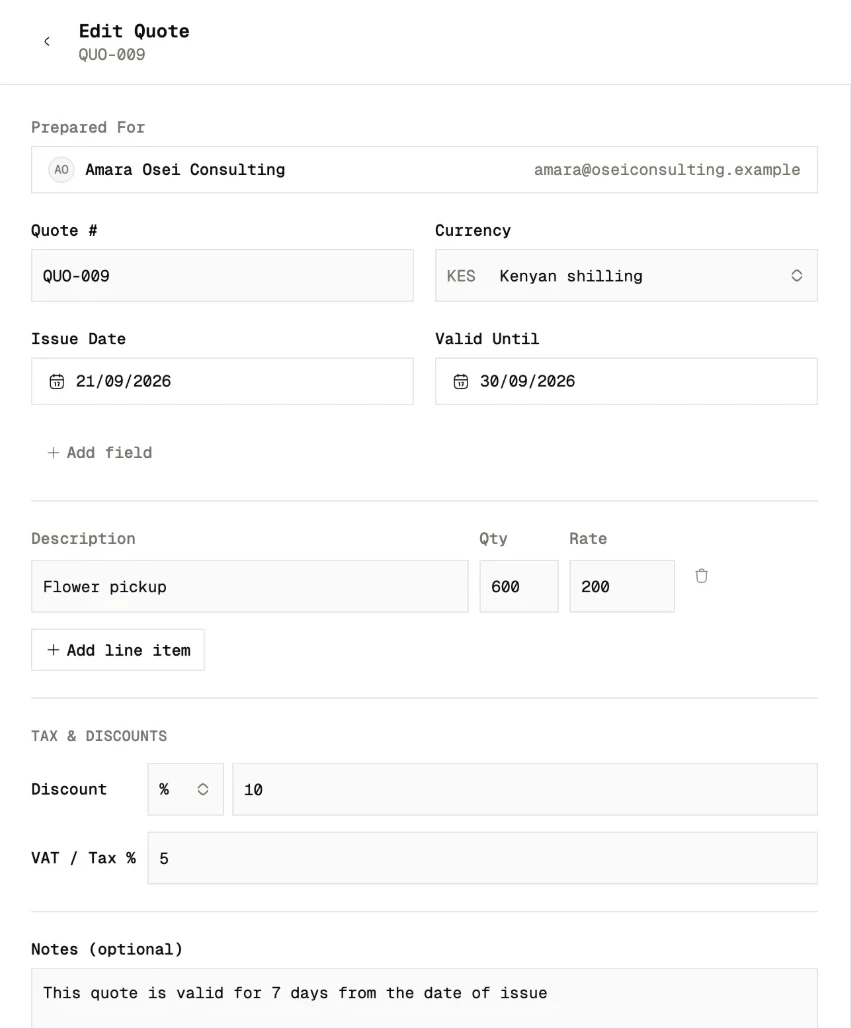
Add your line items, tax and discount, and a valid-until date, on the same layout as your invoices. Send it by email, or copy the link and share it wherever you talk to the customer.
They answer from the link
The customer opens the quote in their browser. No app, no signup. They accept it, or decline it and tell you why if they want to.
 Travada Books
Kilele Studio
Nairobi
Quote
QUO-0021
Bill to
Tausi Events
Valid until
3 Oct 2026
Accepted means invoiced
When a quote is accepted, Travada Books drafts the invoice with the same line items and emails you to say so. Check it, send it. You retype nothing.
Quote QUO-0018
AcceptedBill to
Baraka Logistics
Invoice INV-0057
DraftBill to
Baraka Logistics
Not a yes? Try again.
A declined quote can be revised and sent again. Once its valid-until date passes, a quote can't be accepted any more, so nobody signs off on last quarter's prices.
QUO-0016Mawingu Consulting
Quote declined
"The budget only covers the first phase this quarter."
Activity
- Created2 Sep, 10:05
- Sent by email2 Sep, 10:07
- Viewed3 Sep, 08:31
- Declined4 Sep, 14:12
The details that keep the workflow moving.
Download as PDF
Every quote downloads as a PDF with your logo and details on it.
Duplicate a quote
Start the next quote from one you've already written.
Activity on every quote
See when it was created, sent, accepted or declined.
Any currency
Quote in the currency your customer pays in, the same as your invoices.
Free during beta · No card required
Do the work. Not the paperwork.
Set up the books once. Give the business your attention.
Start free