
Paid in parts. Tracked in full.
A customer sends half now and promises the rest at the end of the month. Record what came in, and Travada Books keeps the balance, the status and the statement straight until it's paid off.
Free during beta · No card required
Payments
Record payment
Log a payment received against this invoice. The balance and status update automatically.
Amount
Balance due: KES 45,000.00
Payment date
Method
Record what arrived
Enter the amount, the date and how it was paid, with a reference if you have one. Record the whole balance in one go, or part of it whenever money comes in.
INV-0061Tausi Events
Part-paidKES 80,000.00 of KES 120,000.00 paid · KES 40,000.00 due
Payments
Record paymentThe status sorts itself out
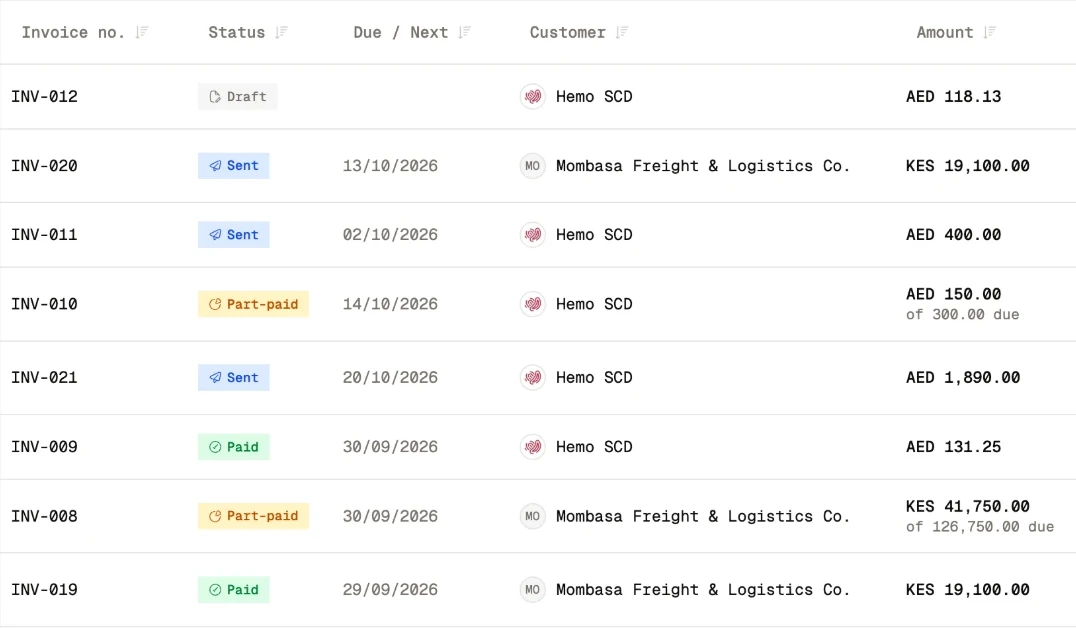
Pay part of an invoice and it shows as part-paid, with the balance left to pay. Pay the rest and it's marked paid. Delete a payment recorded by mistake and the status corrects itself.
Statements that add up
A customer's statement lists each invoice as a charge and what's been paid against it, with a running balance from the opening figure to what's owed today.
Statement · Baraka Logistics
In your books, too
Every payment you record also lands in your transactions, linked to the invoice it paid, so your cash figures and your invoices never disagree.
Transactions
The details that keep the workflow moving.
Paid in full? One click.
Mark an invoice as paid and the whole balance is recorded for you.
Overpayments checked
Recording more than the balance asks you to confirm it first, so typos don't slip through.
Customer totals
Each customer's page shows what's been invoiced, paid and still owed, part payments included.
Any currency
Payments on invoices in other currencies still add up in your base-currency totals.
Free during beta · No card required
Do the work. Not the paperwork.
Set up the books once. Give the business your attention.
Start free